> ## Documentation Index
> Fetch the complete documentation index at: https://docs.intrace.ai/llms.txt
> Use this file to discover all available pages before exploring further.
# Groups
Groups automatically organize nodes of the same type that are returned from transforms. This keeps your graph clean and makes it easier to manage large numbers of related nodes.
## Group Details View
When you select a group, the details view shows information about the group and its contents.
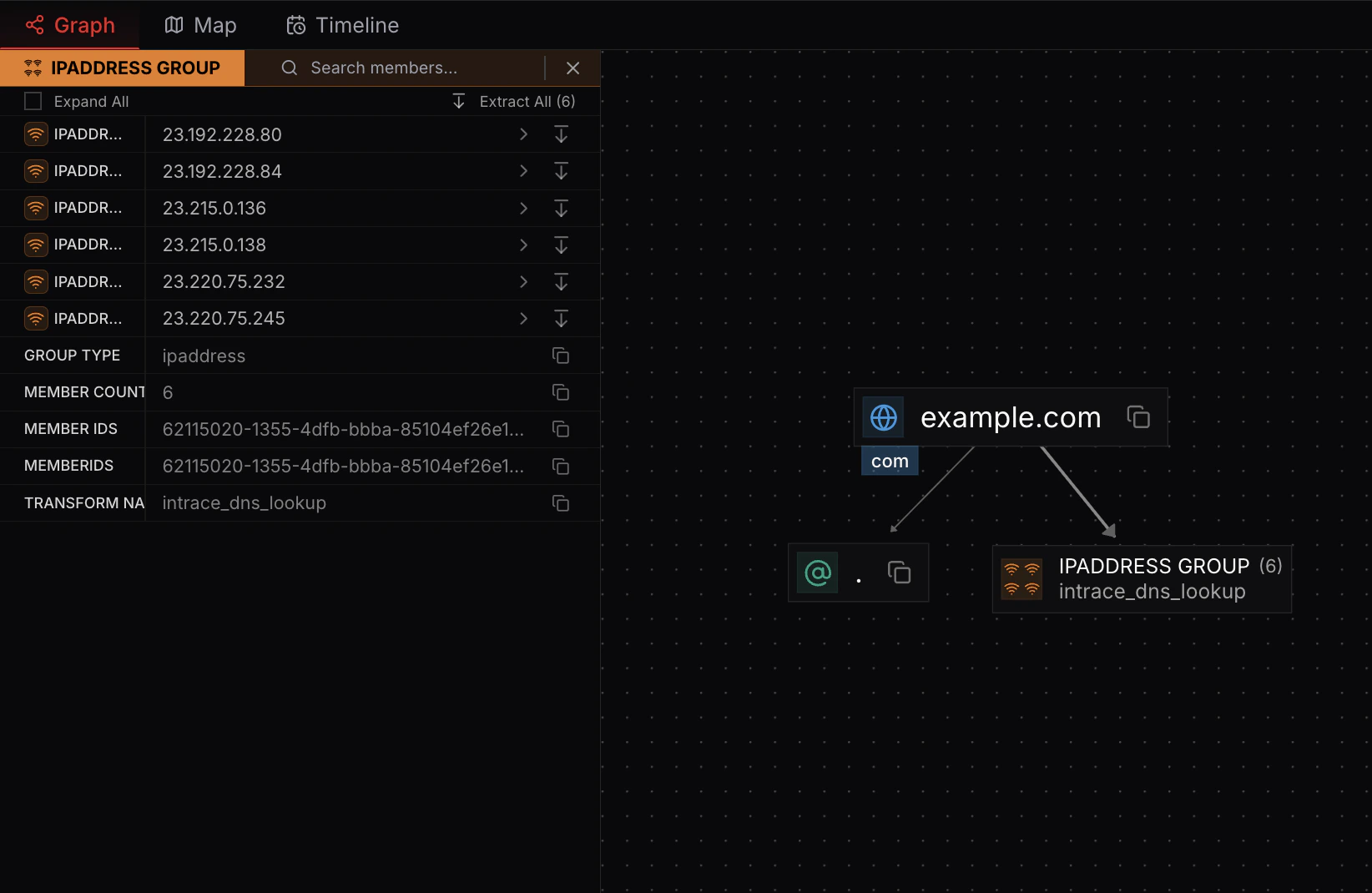 ## Expanding Groups
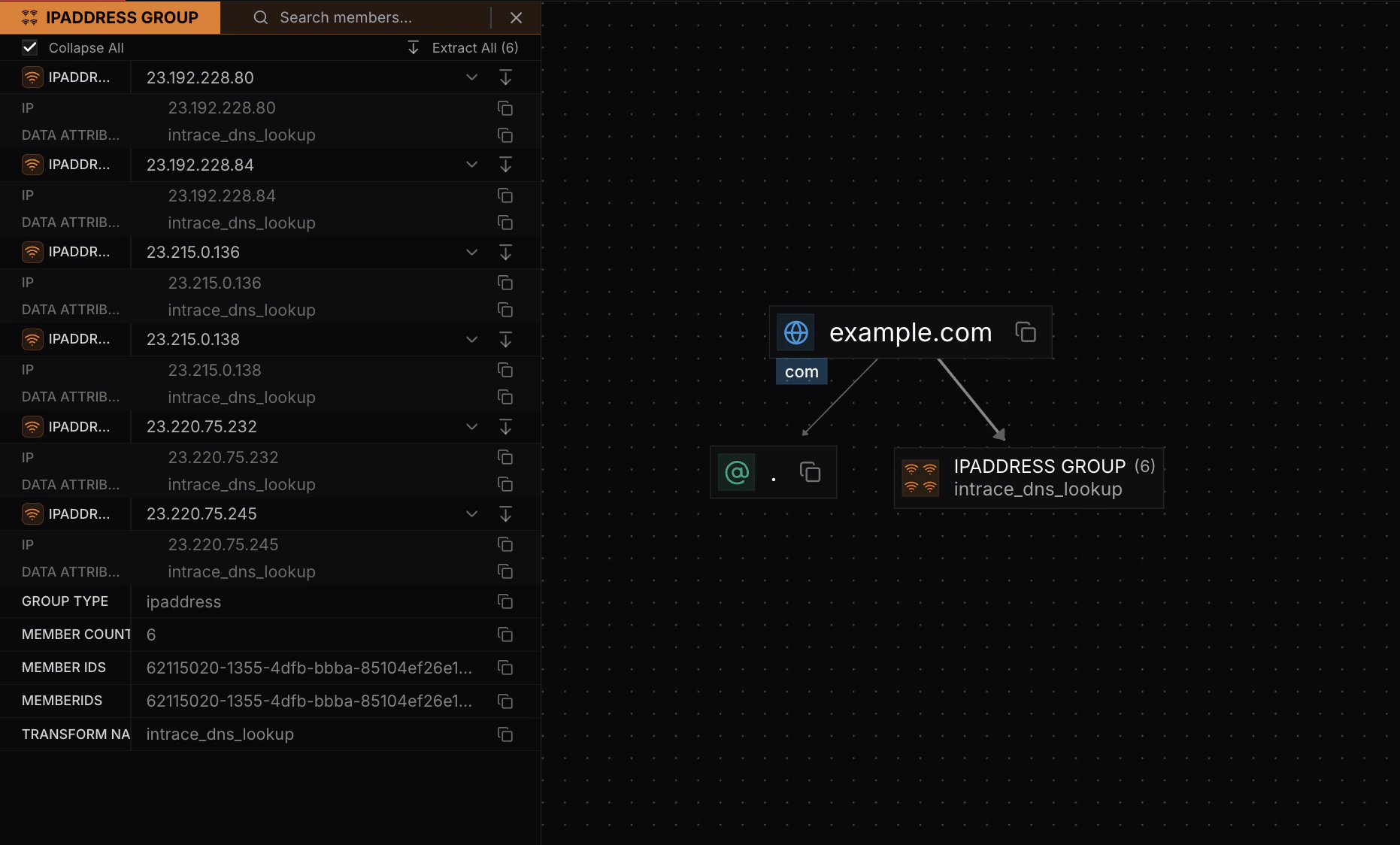
Click "Expand All" to see the contents of each node in the group. This reveals all individual nodes within the group.
## Expanding Groups
Click "Expand All" to see the contents of each node in the group. This reveals all individual nodes within the group.
 ## Extracting Nodes from Groups
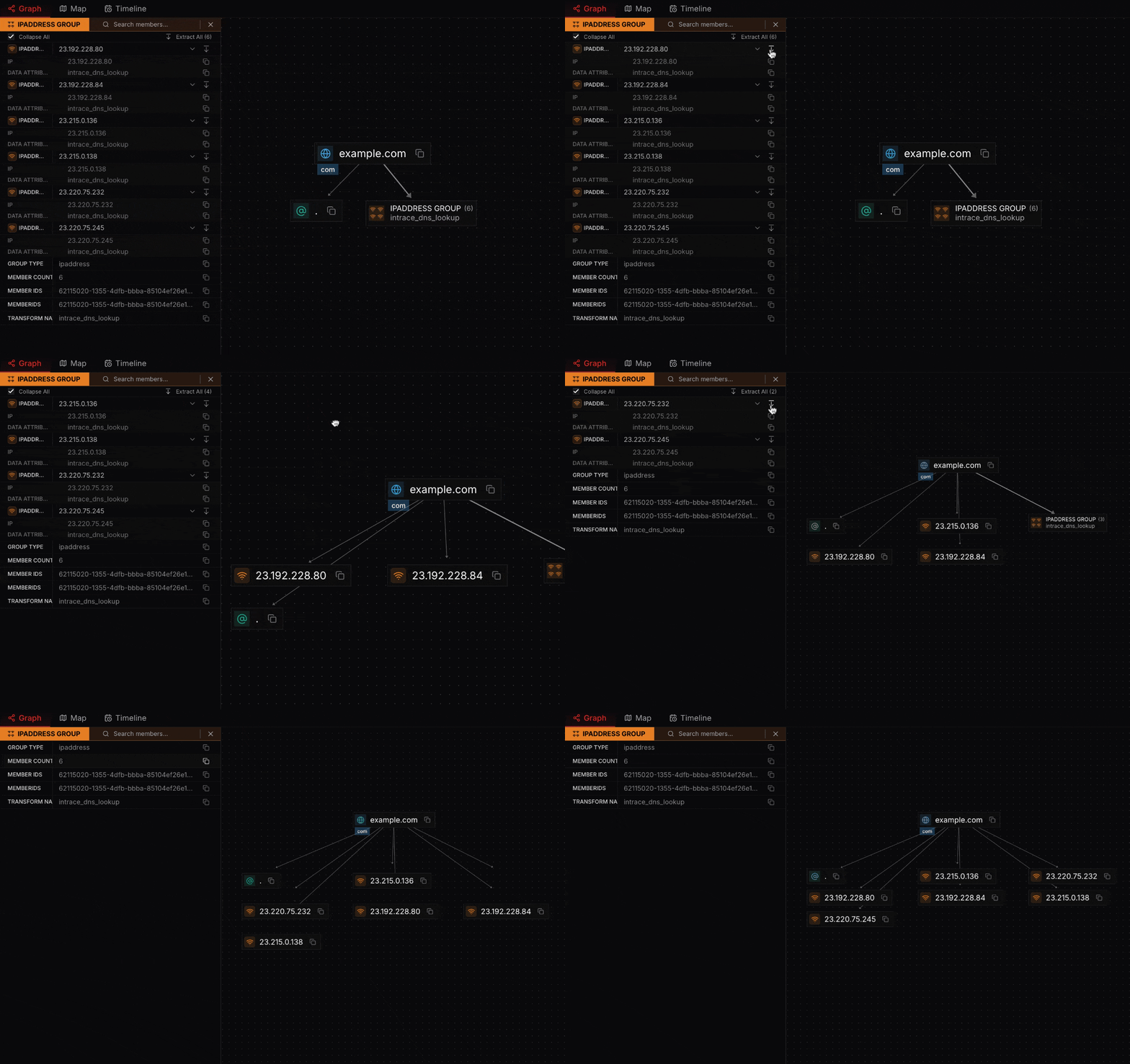
You can extract individual nodes from groups. When you extract nodes, they are removed from the group and displayed separately, affecting the graph layout.
## Extracting Nodes from Groups
You can extract individual nodes from groups. When you extract nodes, they are removed from the group and displayed separately, affecting the graph layout.
 ## Hierarchical Nodes in Groups
Groups containing hierarchical nodes display a red hierarchical icon. In the details view, nodes with subnodes show the red icon next to them.
## Hierarchical Nodes in Groups
Groups containing hierarchical nodes display a red hierarchical icon. In the details view, nodes with subnodes show the red icon next to them.
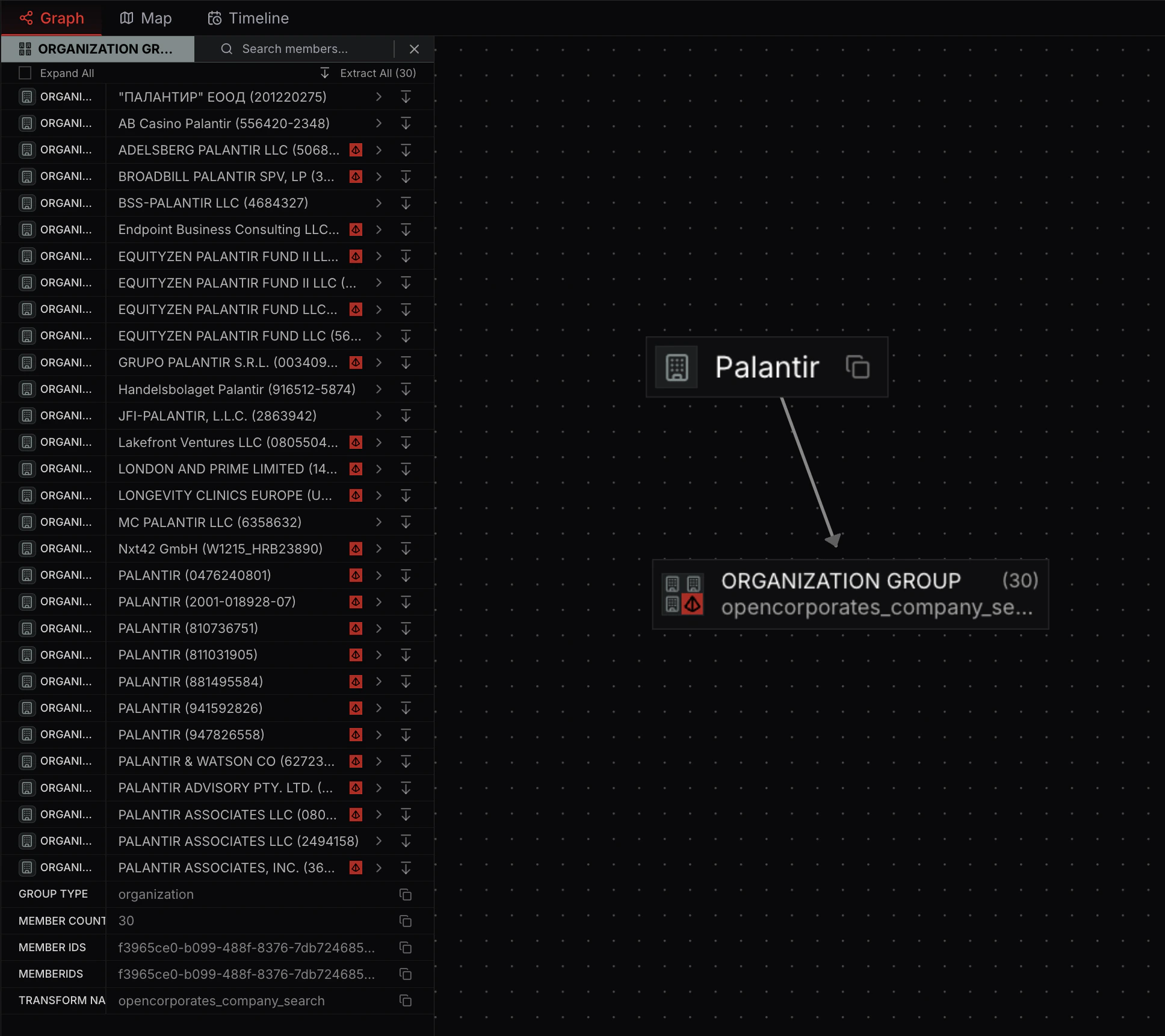 Extraction works the same way for hierarchical nodes—you can extract them from groups just like regular nodes.